In This Article
- Step 1: Lock Down Your Primary Email First
- Step 2: Upgrade From SMS 2FA to Passkeys or Authenticator Apps
- Step 3: Eliminate Reused Passwords With a Password Manager
- Step 4: Smartphone Steps in Your Personal Digital Hardening Checklist
- Step 5: Audit Connected Third-Party Apps and Sessions
- Step 6: Check Breach Exposure and Back Up Critical Data
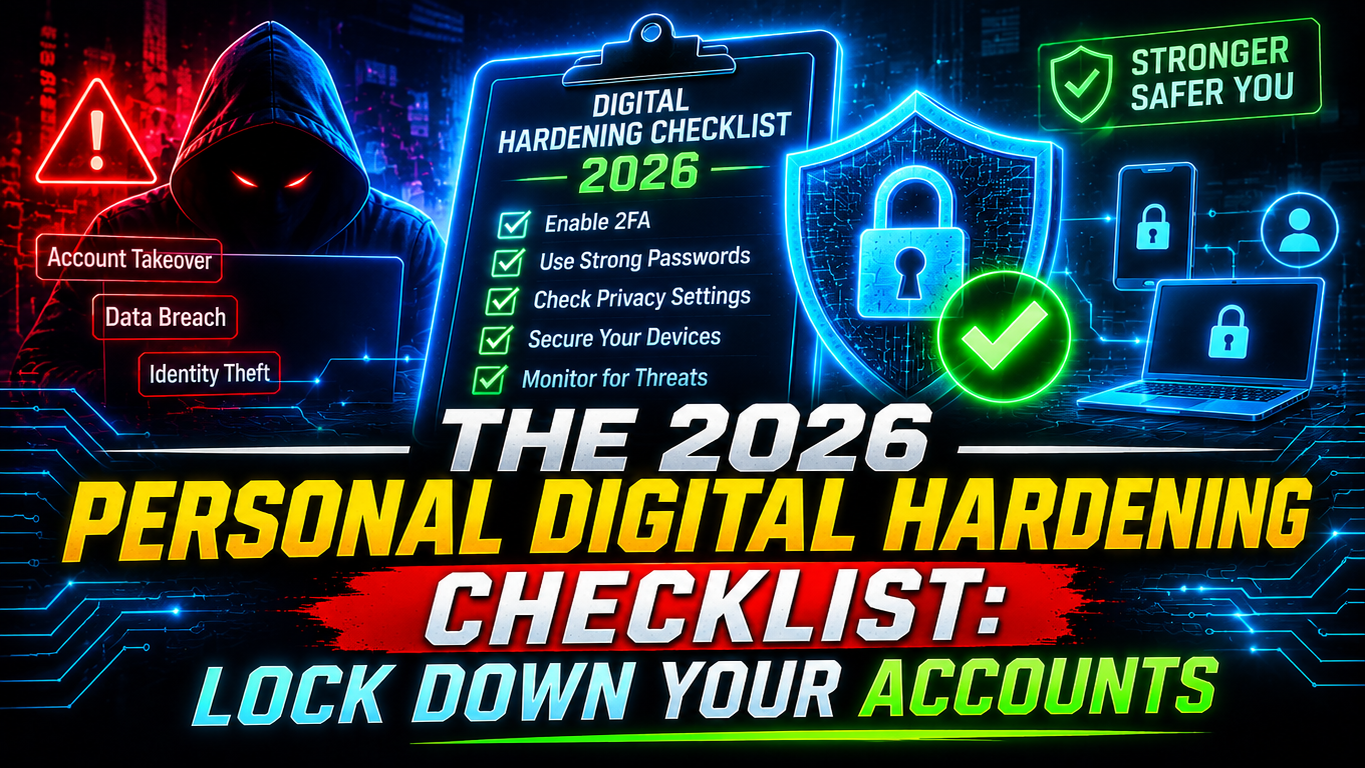
Most account takeovers do not happen because of Hollywood-style hacking. They happen because of reused passwords, SMS verification codes, forgotten app permissions, and unpatched devices. Working through this personal digital hardening checklist takes roughly 30 minutes and eliminates the vast majority of everyday cyber risks.
Step 1: Lock Down Your Primary Email First
Your primary email inbox is the master key to your entire digital life because it controls password reset links for banking, social media, domain registrars, and cloud storage.
- Replace your email password with a unique, randomly generated passphrase of at least 16 characters.
- Open your account security settings and review active sessions to sign out any unrecognized device.
- Check email forwarding rules and filters to confirm no attacker has quietly configured your inbox to forward OTPs or reset links to an external address.
Step 2: Upgrade From SMS 2FA to Passkeys or Authenticator Apps
Text-message (SMS) one-time passwords are far better than no second factor, but they remain vulnerable to SIM-swapping attacks and malicious Android SMS-reading malware. As highlighted in our 2026 identity and supply chain threat breakdown, stolen credentials and weak authentication remain the easiest way for attackers to hijack accounts.
- Enable Passkeys everywhere supported: Google, Apple, Microsoft, GitHub, and many financial apps now support FIDO Alliance passkeys. Because passkeys are cryptographically bound to the real website domain, they will not work on fake phishing clones—even if the scam site uses encryption (learn more about how HTTPS and TLS protect your connection).
- Use an Authenticator App: Where passkeys are unavailable, switch to a time-based one-time password (TOTP) app such as Bitwarden, Proton Authenticator, or Google Authenticator—or a physical FIDO2 security key.
- Store backup codes offline: Print your account recovery codes or save them in an encrypted offline vault so a lost phone never locks you out permanently.
Step 3: Eliminate Reused Passwords With a Password Manager
Credential stuffing—where automated bots test leaked email-and-password pairs from old breaches across banking, gaming, and shopping websites—remains one of the highest-success attacks on the internet.
- Choose a reputable, audited password manager (such as Bitwarden, 1Password, or Apple Passwords).
- Protect the vault with a strong, unique master password you never use anywhere else.
- Start by rotating passwords on your top five high-value accounts: primary email, banking and UPI apps, cloud storage, hosting or domain panels, and main social profiles.
Step 4: Smartphone Steps in Your Personal Digital Hardening Checklist
Your phone carries your banking apps, authenticator codes, personal photos, and private messages. Treating it with the same discipline as a laptop is essential for any personal digital hardening checklist, especially with the rise of banking trojans covered in our 2026 scam alert on malicious WhatsApp APKs.
- Disable unknown app installs: Keep “Install Unknown Apps” turned off for browsers, WhatsApp, Telegram, and file managers so malicious
.apkfiles cannot be sideloaded accidentally. - Turn on automatic OS and browser updates: Most emergency updates patch actively exploited zero-day flaws, a core recommendation in CISA’s Secure Our World guidelines.
- Set a SIM PIN: Locking your SIM card prevents thieves from moving your SIM into another phone to intercept SMS OTPs if your device is stolen.
- Review sensitive permissions: Revoke SMS, Accessibility Service, and Notification Access permissions from any app that does not strictly require them.
Step 5: Audit Connected Third-Party Apps and Sessions
Over months and years, clicking “Sign in with Google” or “Connect Account” grants dozens of forgotten websites and mobile apps ongoing access to your profile, contacts, or Drive files.
Visit your Google, Apple, GitHub, and social media security dashboards once every quarter. Revoke access for every third-party app or integration you have not actively used in the past six months.
Step 6: Check Breach Exposure and Back Up Critical Data
Run your email addresses through Have I Been Pwned to see if your credentials appeared in older third-party leaks. Finally, follow the 3-2-1 backup rule for irreplaceable documents and photos: keep three copies of your data, on two different storage types, with at least one copy stored offline or in an encrypted cloud location.
Completing this personal digital hardening checklist once—and reviewing it twice a year—puts you miles ahead of automated threats and opportunistic scammers.

Leave a Reply